Create A GitHub Repository From Local Repository
published: July 20, 2026
tags:
git |
github |
local-git |
reading time: 1 minutes
by @ibrathesheriff 
So you have turned a folder into a Git repository on your machine. How do you get this local repository onto GitHub?
Step 0: Turn your folder into a Git repository (if you haven’t already)
Navigate to your project folder,
cd /path/to/your/project
Turn the folder into a Git repository,
git init -b main
Stage all your project files for tracking,
git add .
Now save your files with a first commit message,
git commit -m "Initial commit"
Step 1: Create the remote GitHub repository
Create an empty repository on GitHub.
Add the repository name and description but leave it empty. DO NOT add a README.md, .gitignore, or LICENSE. It must be an empty repository!
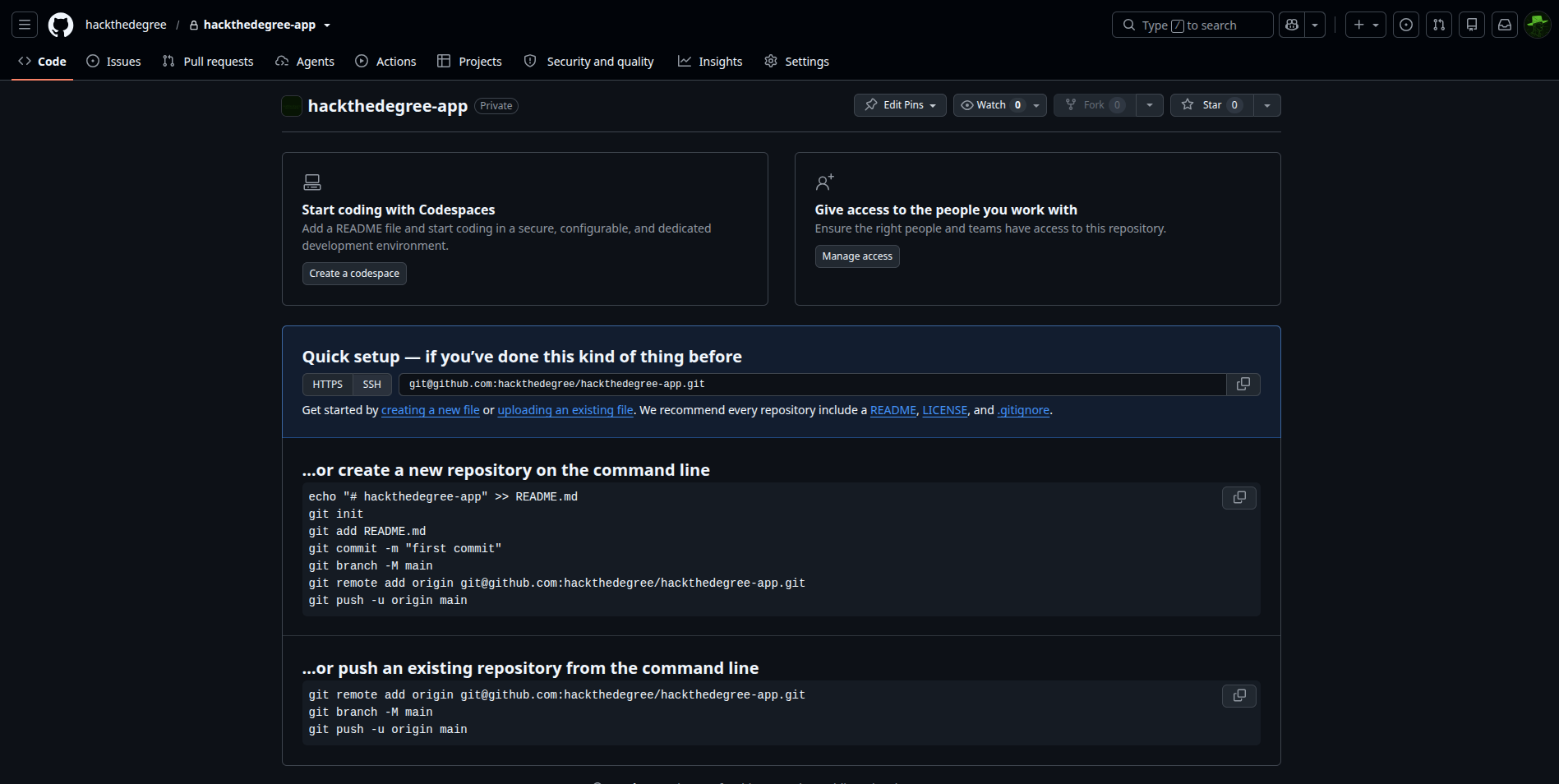
Step 2: Link your local repository to your remote GitHub repository
Link your local repository to your remote GitHub repository
git remote add origin <GITHUB_LINK>.git
Push your code to GitHub,
git push -u origin main
Easy!
In fact, these steps are detailed on your empty GitHub repo!